> For the complete documentation index, see [llms.txt](https://guide.lorenext.com/llms.txt). Markdown versions of documentation pages are available by appending `.md` to page URLs; this page is available as [Markdown](https://guide.lorenext.com/readfills-guide-es/zhun-bei-gong-zuo/metamask-qian-bao-zhun-bei.md).

# Metamask, billetera lista

Instalar la billetera Metamask

* Se recomienda usar navegadores como Chrome o Firefox para una mejor experiencia e inicio de sesión\
  <https://metamask.io/download/>

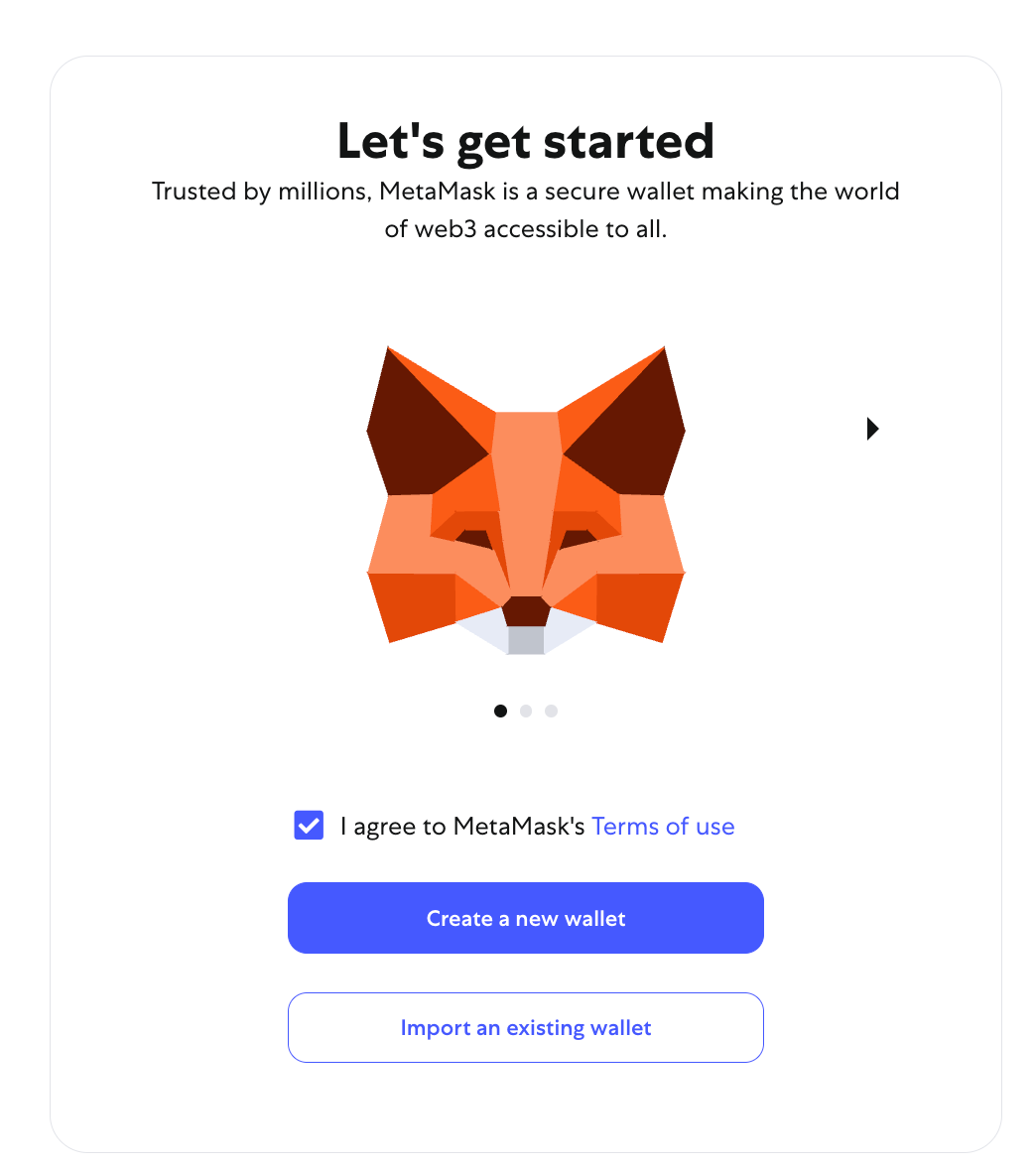
Crear una nueva billetera o importar una billetera existente

<figure><img src="https://1687376182-files.gitbook.io/~/files/v0/b/gitbook-x-prod.appspot.com/o/spaces%2FaSEjz0WB1D1cLMVjIJad%2Fuploads%2FVj0keIwLqNlKf4I4OPDw%2Fimage.png?alt=media&#x26;token=48aec0cb-569f-4db9-b740-ddd0ad3b6bf5" alt="" width="563"><figcaption></figcaption></figure>

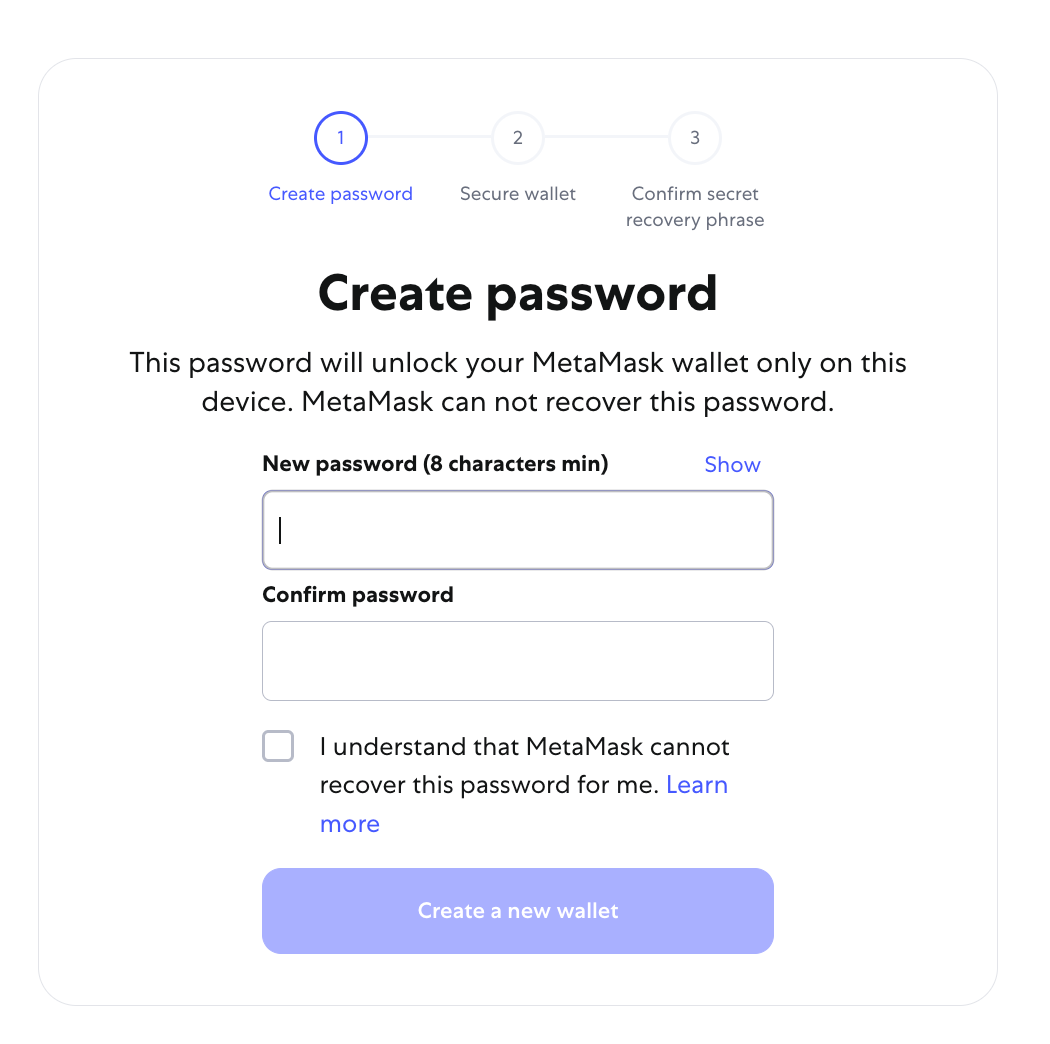
Crear billetera

1. Crear una contraseña

   <figure><img src="https://1687376182-files.gitbook.io/~/files/v0/b/gitbook-x-prod.appspot.com/o/spaces%2FaSEjz0WB1D1cLMVjIJad%2Fuploads%2FWd6HeS61ETvDxZB5OPv9%2Fimage.png?alt=media&#x26;token=c3c71c2f-03e7-41f0-8cca-47ff49b99f49" alt="" width="563"><figcaption></figcaption></figure>
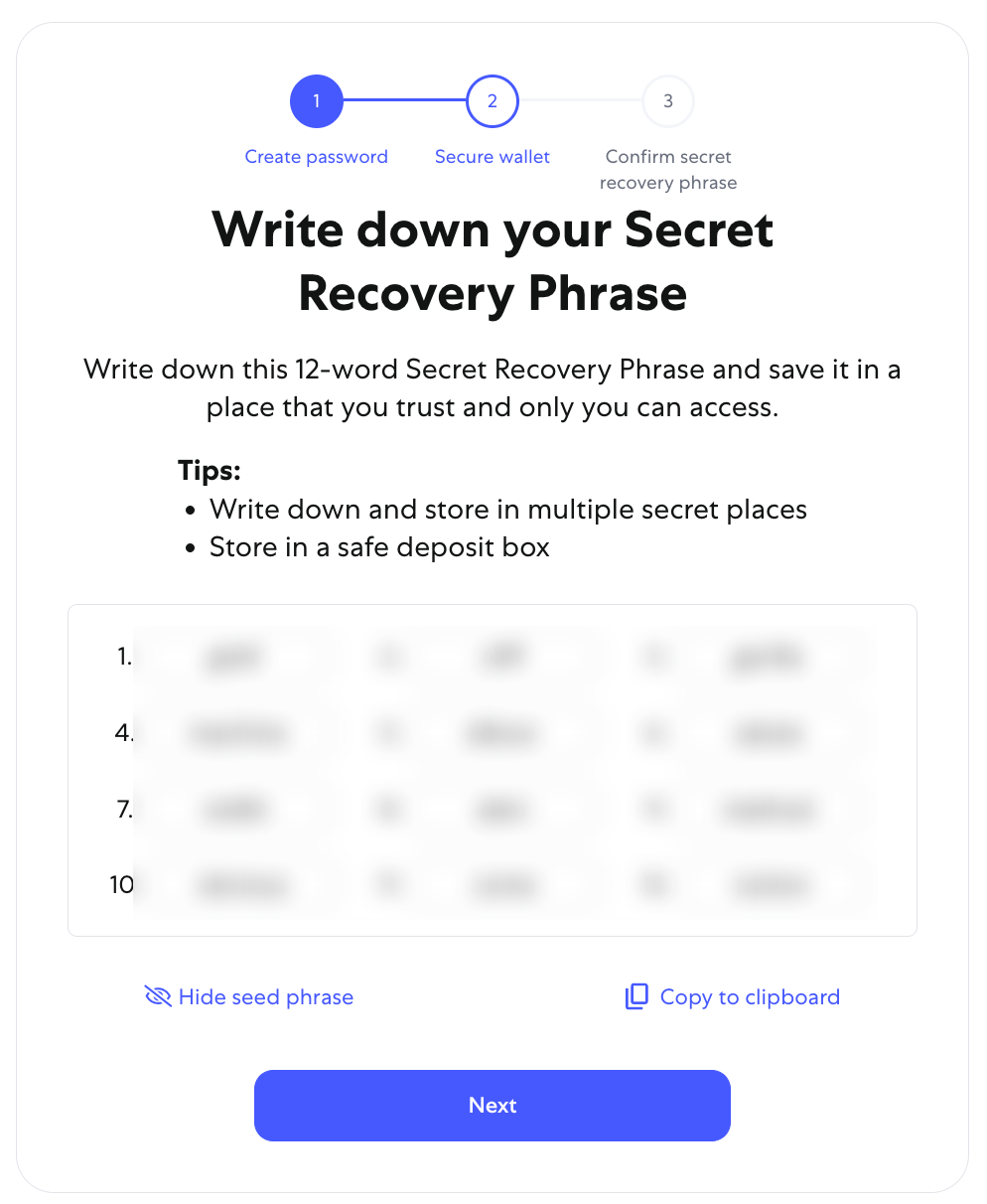
2. Guardar la frase mnemotécnica (muy importante), imprímela o escríbela a mano. Este paso es fundamental para la seguridad de tus activos de criptomonedas
   <figure><img src="https://1687376182-files.gitbook.io/~/files/v0/b/gitbook-x-prod.appspot.com/o/spaces%2FaSEjz0WB1D1cLMVjIJad%2Fuploads%2FyHAesGdRq2dPIYv88om5%2Fimage.png?alt=media&#x26;token=33e090ed-1311-42c3-85f3-7079abc5f03e" alt="" width="563"><figcaption></figcaption></figure>

<figure><img src="https://1687376182-files.gitbook.io/~/files/v0/b/gitbook-x-prod.appspot.com/o/spaces%2FaSEjz0WB1D1cLMVjIJad%2Fuploads%2FD0cm4CKnXu3uFLzhxR3g%2Fimage.png?alt=media&#x26;token=c965d8d2-c75e-41c0-ba44-07444b65c28d" alt="" width="563"><figcaption></figcaption></figure>

<br>